✨ Kickstart your AI journey with $5 OFF — Use code START5 🚀

Google’s Nano Banana: Everything You Need to Know About Gemini 2.5 Flash Image
Discover Google’s Nano Banana (Gemini 2.5 Flash Image) — the AI tool for next-level photo editing and image generation. Learn features, uses, and tips.
9/19/20253 min read
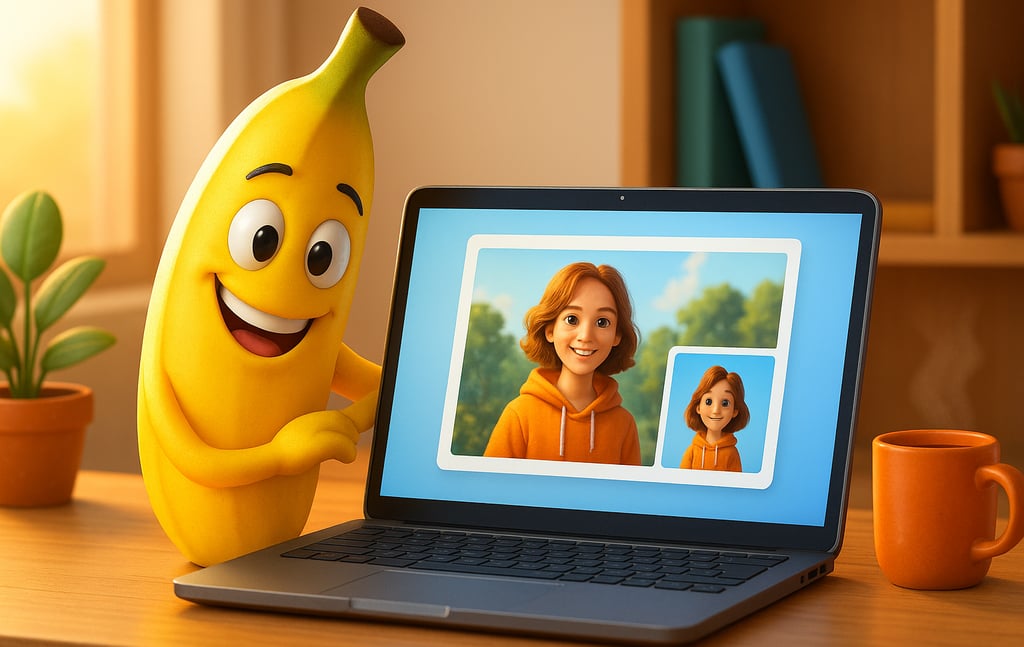
If you’ve been scrolling through social media lately, you might have seen friends turning themselves into toy-like characters or swapping backgrounds with just one tap. That’s the magic of Nano Banana, Google’s latest AI image editing model, officially called Gemini 2.5 Flash Image.
Launched in August 2025, Nano Banana is already a viral trend. But beyond the fun edits, it’s also a serious creative tool for students, marketers, and professionals who want quick, powerful image transformations. Let’s explore how it works, what makes it unique, and why everyone’s talking about it.
What Is Nano Banana?
Nano Banana is Google DeepMind’s new AI model for photo editing and image generation. Think of it as Photoshop powered by conversation — you type what you want, and the AI makes it happen.
You can access Nano Banana in:
The Gemini mobile app
Google AI Studio (for creators and developers)
Gemini API / Vertex AI (for businesses)
The quirky “Nano Banana” nickname started internally but caught on with users online, making the tech feel approachable and fun.
Key Features of Nano Banana
Here’s what makes Nano Banana stand out from other editing tools:
1. Consistent Faces and Characters
No more distorted selfies. Edit a photo multiple times, and Nano Banana keeps your face the same, even if you change outfits, hairstyles, or settings.
2. Blend Multiple Images
Upload more than one photo and merge them into one scene — perfect for creative mashups, product shots, or family edits.
3. Easy Local Edits
Want to replace just the background or swap a t-shirt color? Simply type the request, and Nano Banana makes the change without touching the rest of the image.
4. Smarter Context
Objects and people look like they belong in the scene. Lighting, shadows, and perspective are automatically adjusted to fit naturally.
5. Watermarking for Transparency
Every image includes Google’s SynthID watermarks (both visible and invisible), so AI-generated content can always be identified.
Why It Went Viral
Nano Banana isn’t just powerful — it’s playful. Here’s why it’s everywhere:
🌟 3D Figurine Trend – People are turning selfies into collectible-style figurines and sharing them online.
🚀 App Store Boost – The Gemini app shot up in downloads after the launch, surpassing even ChatGPT in popularity.
🎨 Creative Freedom – Fashion mockups, product designs, and marketing images can be created in minutes.
⏱ Time-Saving – No design skills needed; quick edits are accessible to anyone.
Things to Keep in Mind
Like all AI tools, Nano Banana has a few limitations:
Quality drops after many edits – Repeated tweaks can distort details.
Complex edits aren’t perfect – Huge scene changes sometimes look less realistic.
Prompts matter – The clearer your instructions, the better the results.
Availability varies – Some regions may not have full access yet.
Ethical concerns – As with any AI, misuse for deepfakes or misleading edits is a risk.
How to Use Nano Banana
Getting started is simple:
Open the Gemini app or AI Studio
Upload your photo
Type a clear request (e.g., “Make this a vintage movie poster”)
Refine with extra edits until you’re happy
Save and share — knowing watermarks will be included
FAQ: Nano Banana Explained
1. What is Nano Banana used for?
It’s used for fun edits, creative projects, product mockups, marketing visuals, and personal photo transformations.
2. Is Nano Banana free?
Yes, basic use is free in the Gemini app. More advanced features may require a subscription.
3. Why is it called Nano Banana?
It was a playful codename inside Google that went viral with users.
4. Can I use it for business projects?
Yes — many businesses use it for product images and ads, but always review Google’s licensing rules.
5. Is it better than Photoshop?
For fast, AI-driven edits, yes. For manual, detailed control, Photoshop still leads. Many creators use both together.
Conclusion
Nano Banana (Gemini 2.5 Flash Image) is changing the way we think about photo editing. With smart, natural edits and easy prompts, anyone can create images that look professional — whether for fun or for work.
It’s not perfect, but its mix of power and simplicity explains why it’s going viral. The best way to see what Nano Banana can do is to try it yourself.
Other article you might like......
Resources
Join a growing community of AI beginners. Share tips, ask questions, and learn together
"Try It With AI is for learning and inspiration. By using our site, you agree to our [Terms & Privacy]."
Support
Contact
support@tryitwithai.site
© 2025. All rights reserved.